


Home page
How to login
Edit Page
Content
Photos
Slide Show
Languages
Add New Page
Delete Page
Setting
Property
Banner Popup
Social Media
Seo (Search Engine Optimization)
Add Languages
Users
Frontend
View your website
Edit Content
Edit photo
Back to admin
Home page
How to login
Edit Page
Content
Photos
Slide Show
Languages
Add New Page
Delete Page
Setting
Property
Banner Popup
Social Media
Seo (Search Engine Optimization)
Add Languages
Users
Frontend
View your website
Edit Content
Edit photo
Back to admin
Hoteliers.
guru
Manual CMS
Hoteliers.
guru
Manual CMS
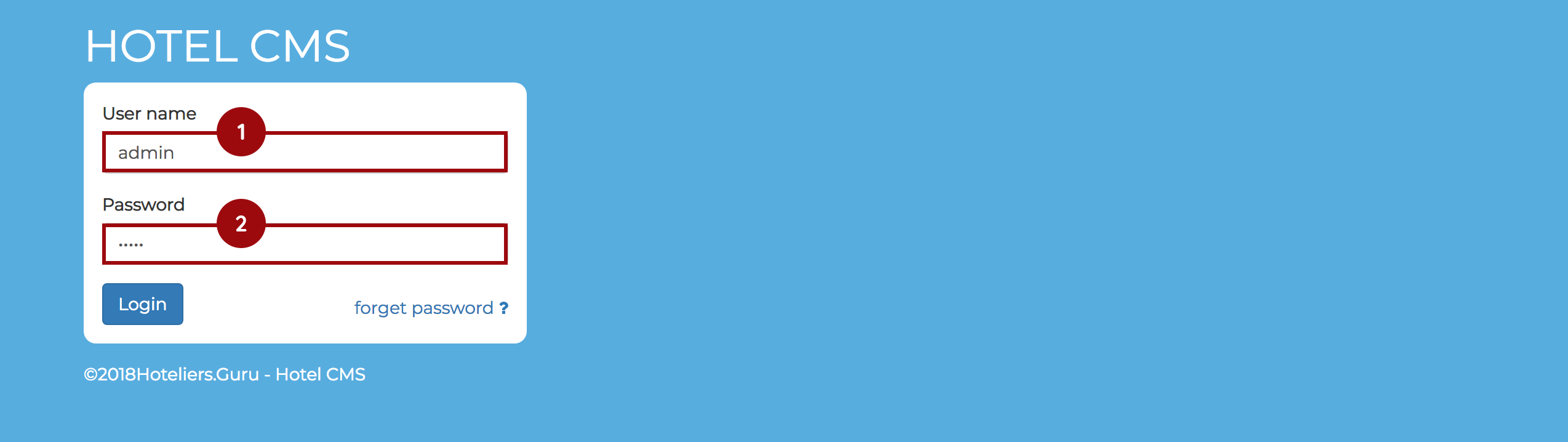
How to Login
You can go to login by url
" mywebsite.com/admin "
On the web browser Then login with the username and password
Then login with the username and password obtained from the website CMS installation process.
User :
You get from team web
Pass :
You get from team web
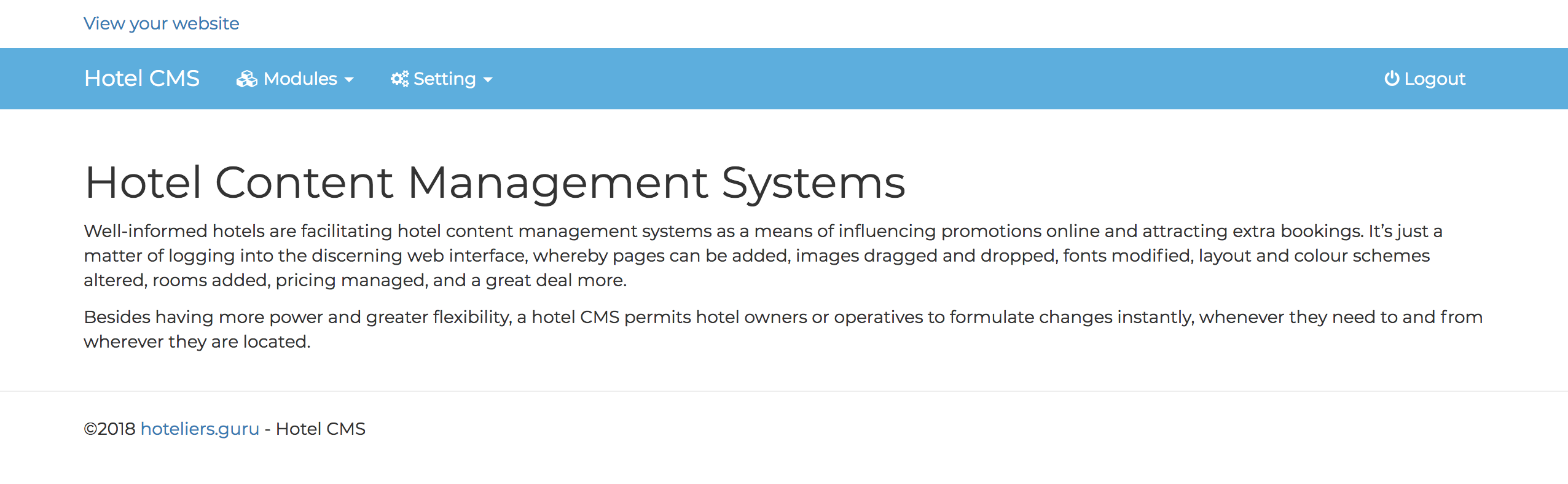
When you login already website will redirect to management systems site consisting
Modules : This is special feature for manage, control, modification to improve the performance fo website.
Setting : Setting up sites.