

Preference
The Preference menu in Intel Cloud PMS allows you to customize and configure your hotel system according to your operational needs and preferences.
The available settings include:
- General
- Extra Items
- Tax
- Hotel Detail
- PDF Form
- Invoice / Receipt
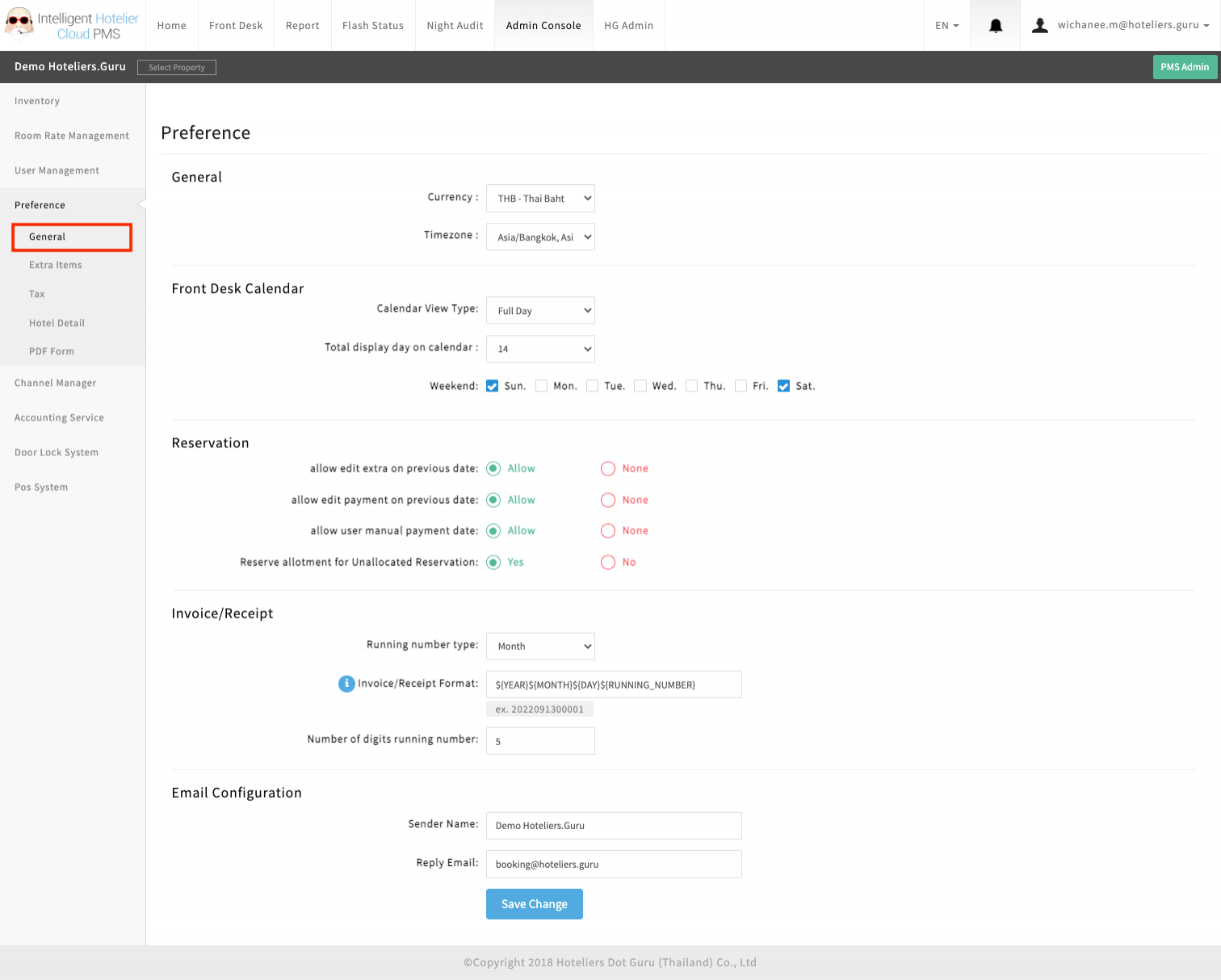
General
Configure basic system settings for hotel operations.
Extra Items
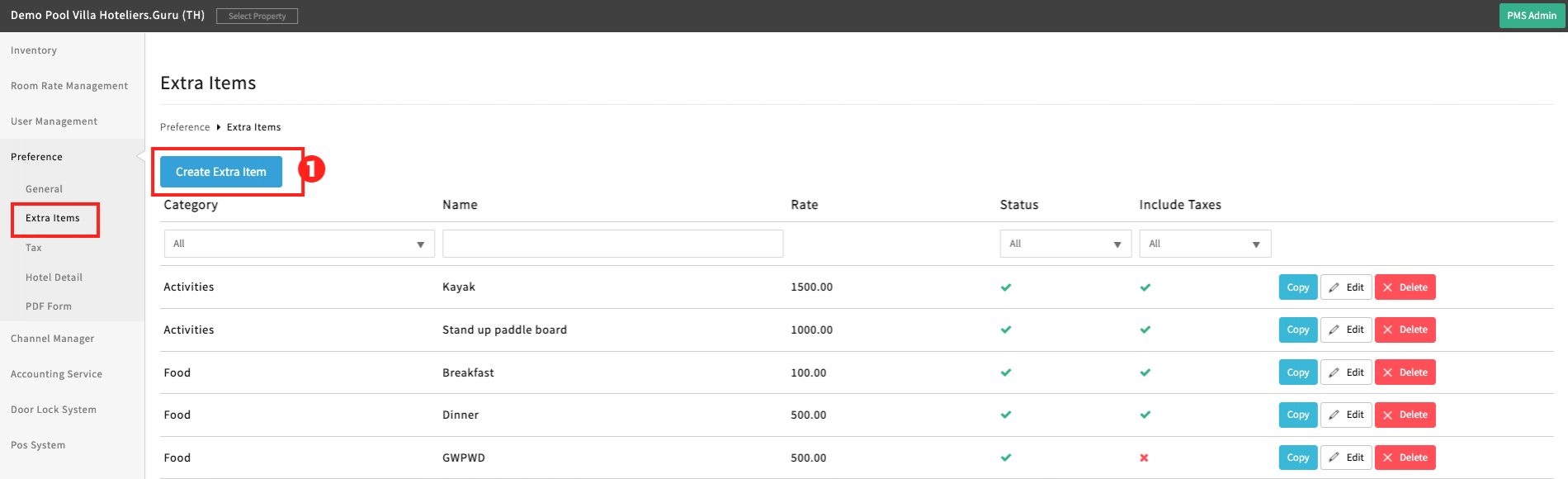
Set up additional chargeable items such as minibar, laundry, or extra services.
How to Create Extra Items
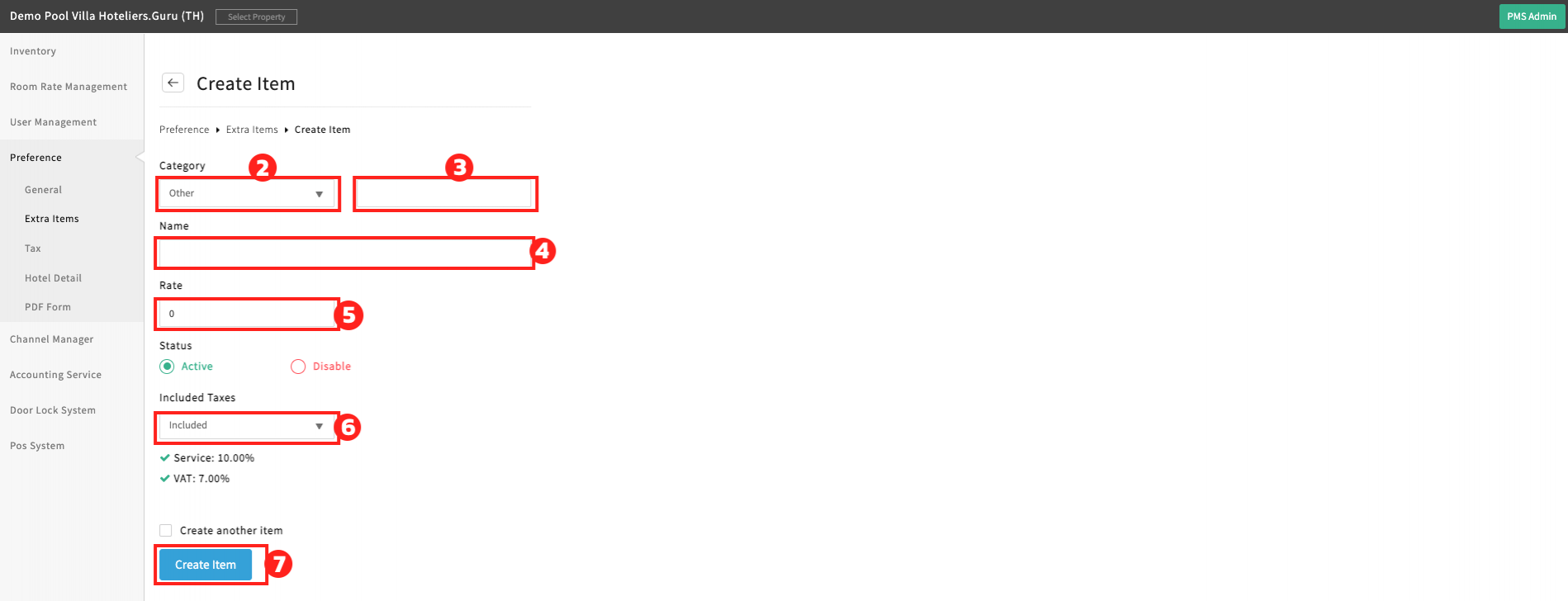
Follow the steps below to create Extra Items in Intel Cloud PMS:
- Click the “Create Extra Item” button.
- Category → Select “Other” when creating the first category.
- Enter a category name for the first creation, such as Food, Beverage, or Transportation.
- Name → Enter the extra item name, such as Breakfast, Minibar, or Airport Transfer.
- Rate → Enter the price for the extra item.
- Included Taxes → Select “Included” or “Excluded”.
- Click the “Create Item” button to save.
Tax
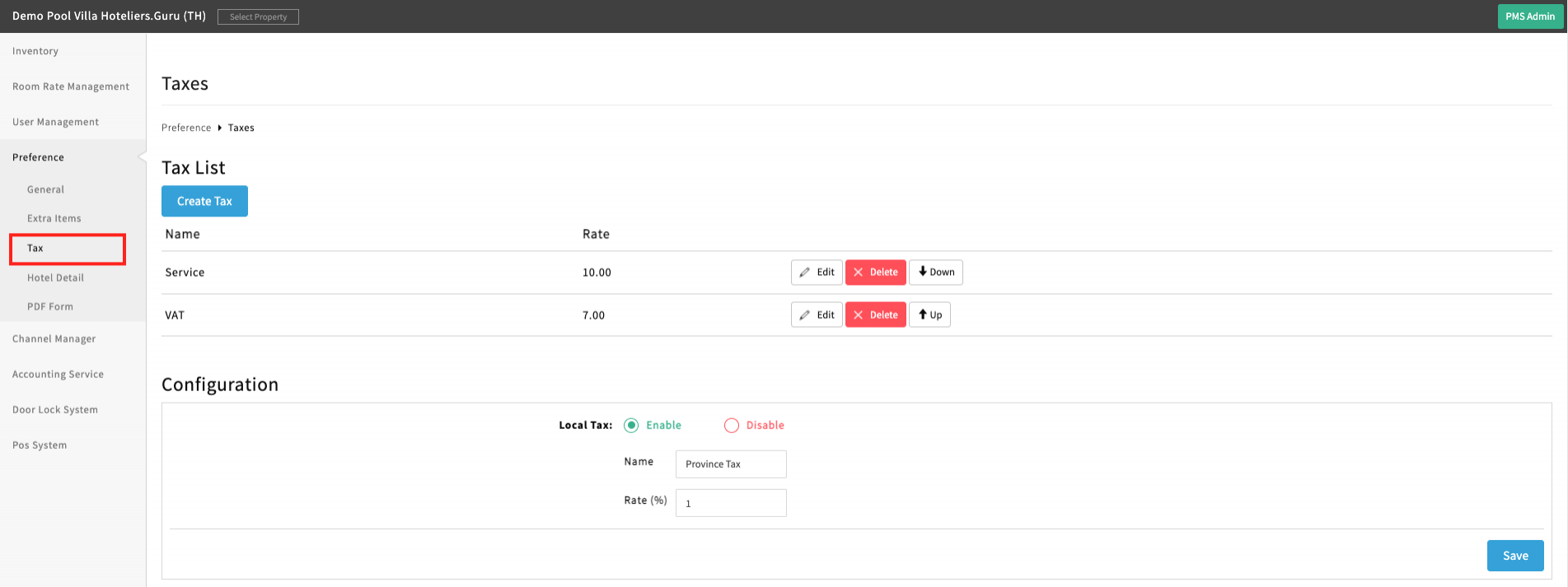
Manage tax settings, including tax rates and calculation methods.
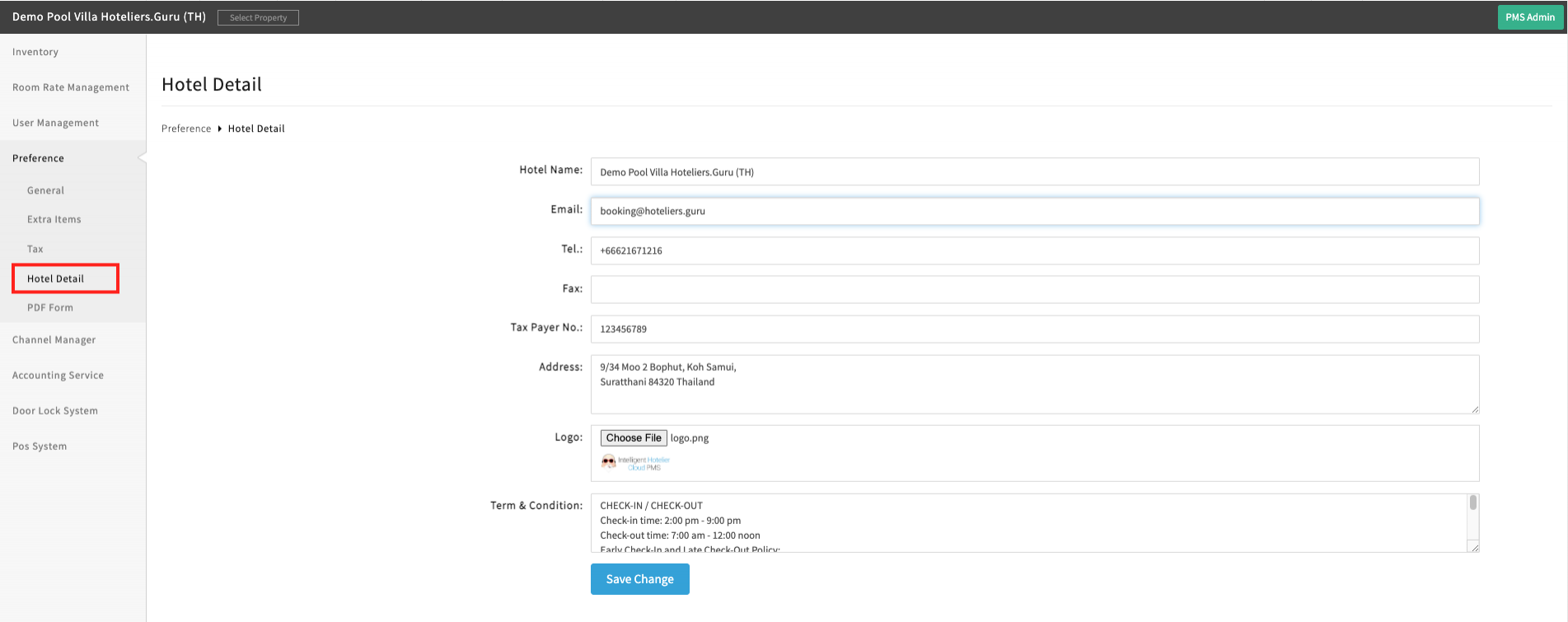
Hotel Detail
Define hotel information such as hotel name, address, contact details, and branding.
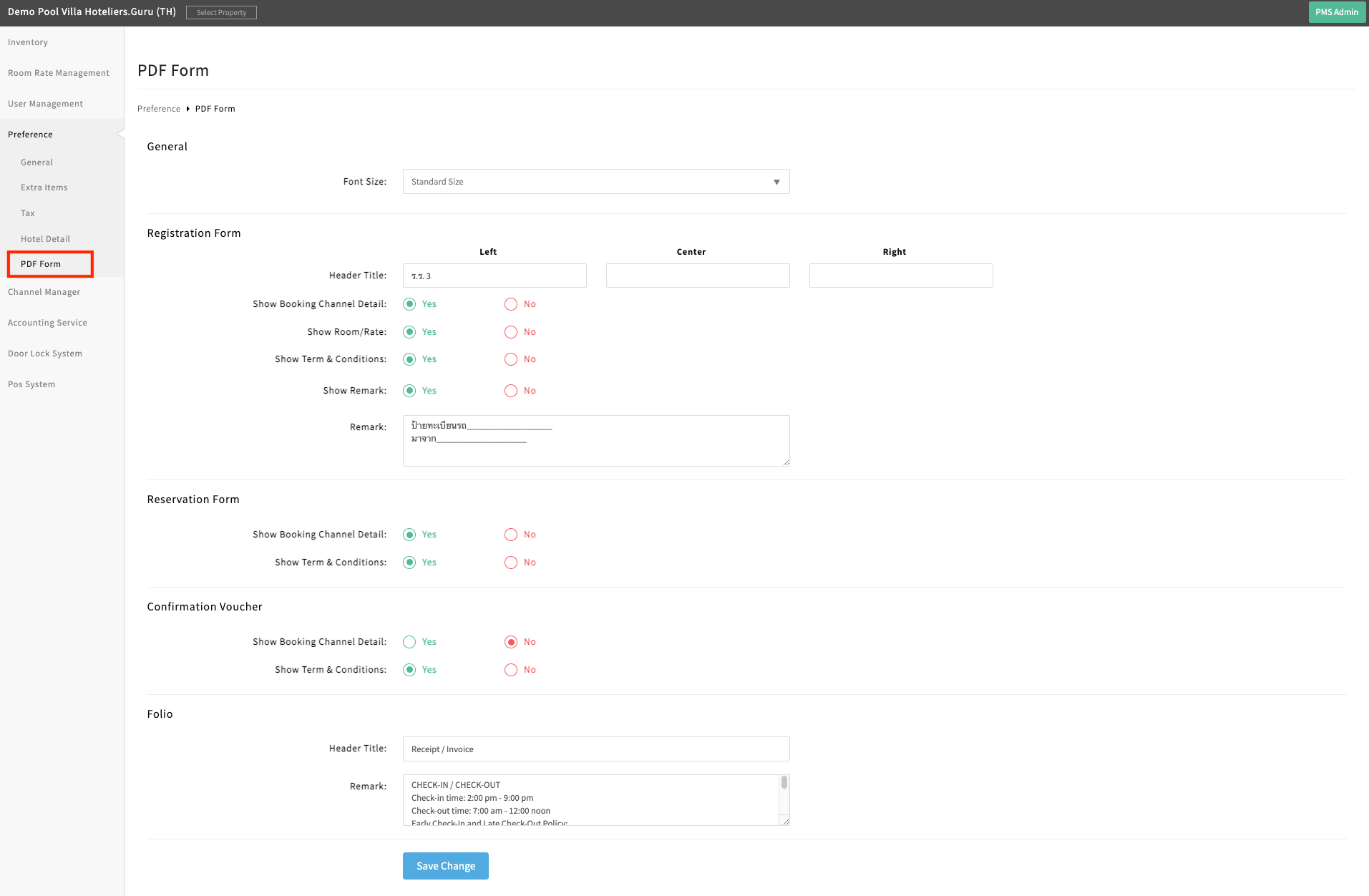
PDF Form
Customize PDF templates used for documents such as registration forms or folio.
Invoice / Receipt
Configure invoice and receipt formats, numbering, and display details.