
How to Update Cancel or No Show Status
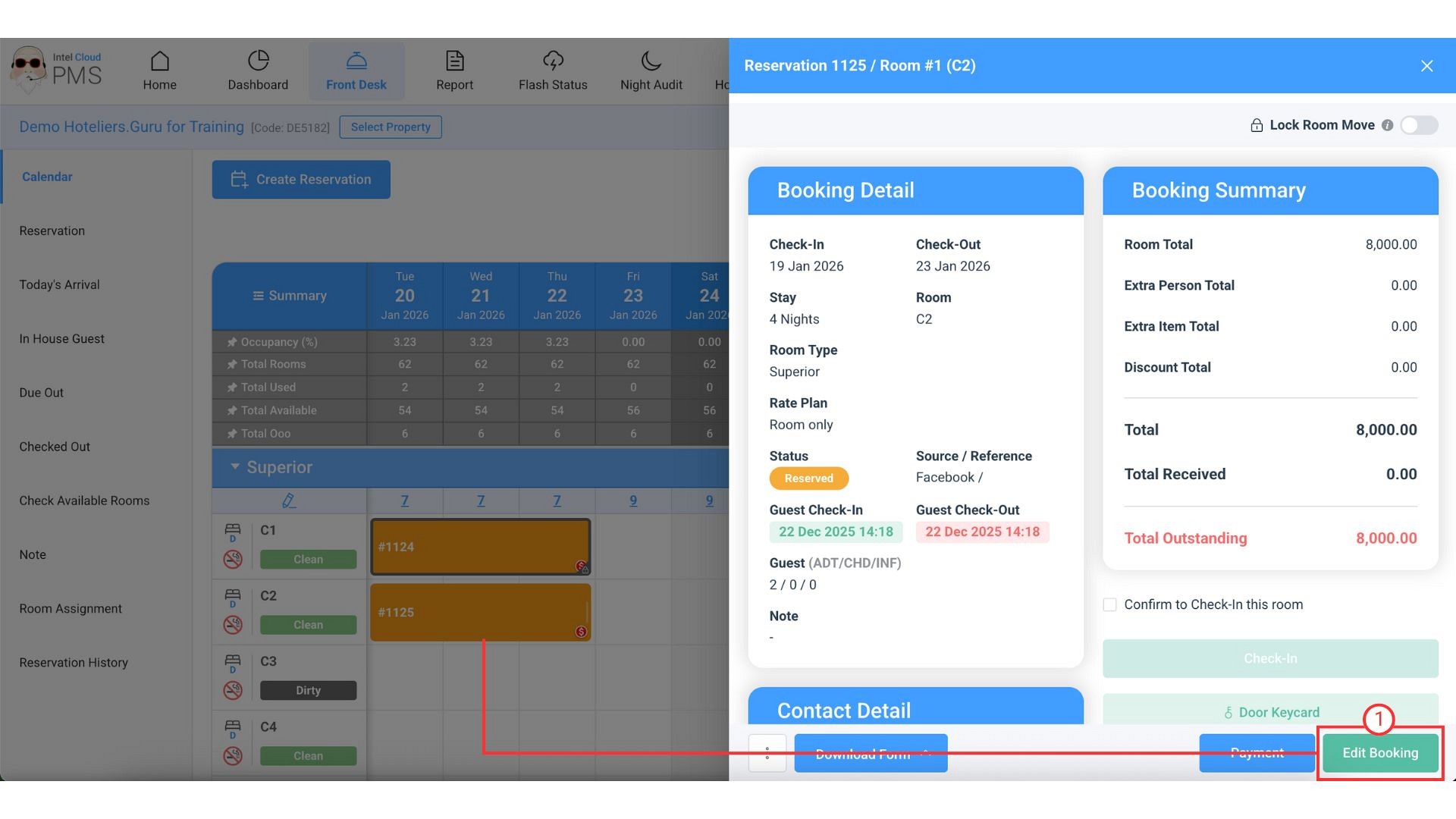
- Click on the resevation that you want to change to Cancel or No Show status, then click Edit Booking.
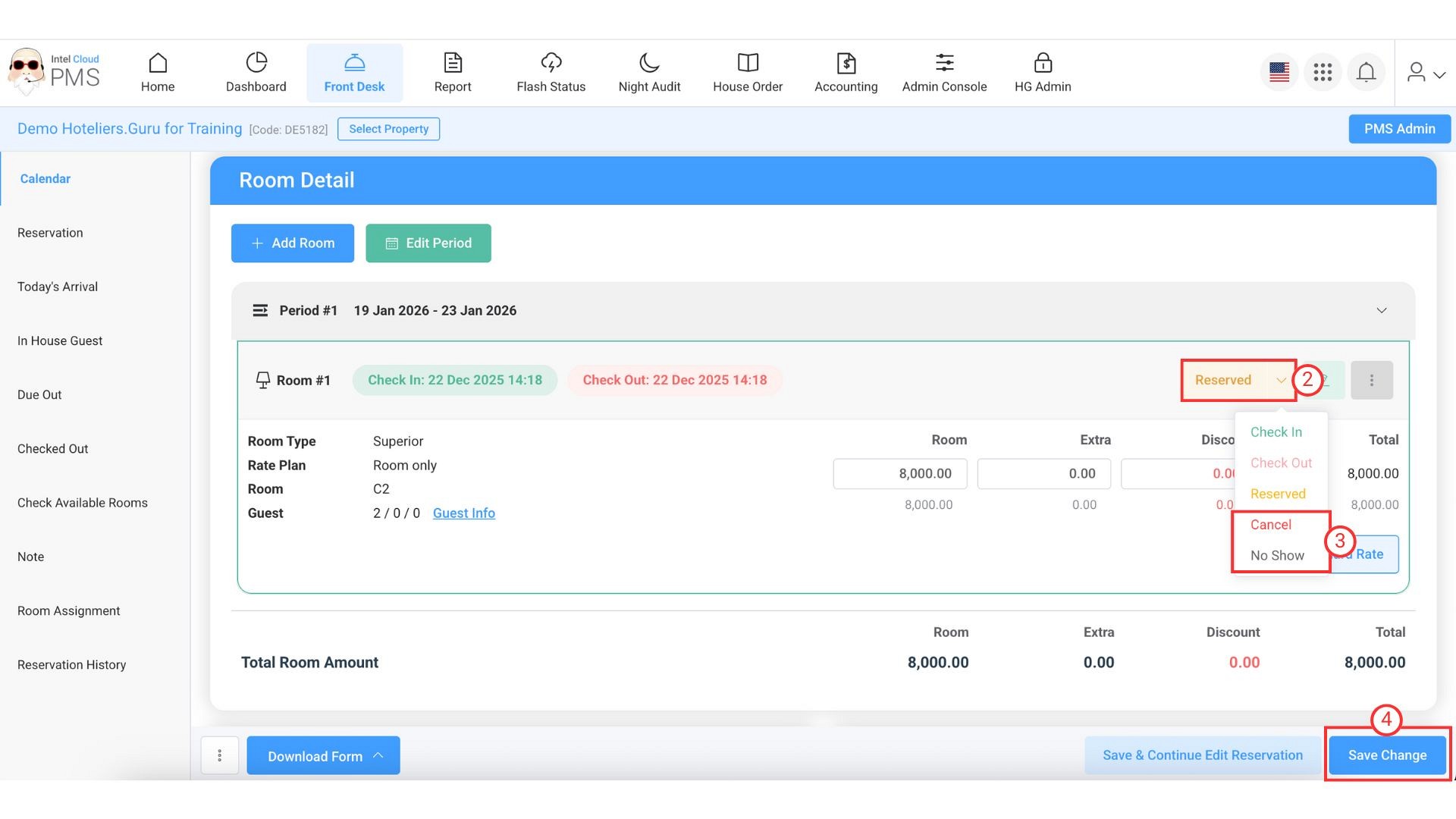
- Click on the Booking Status field. The list of booking statuses will appear.
- Select Cancel or No Show.
- Click Save & Continue Edit Reservation or Save Change to confirm.