
Lock Room Move
Lock Room Move is a feature that allows the user to lock a reservation, preventing it from being moved to another room or room number.
Important Note:
- Locking or unlocking a room move can be managed from both the Calendar and the Reservation page.
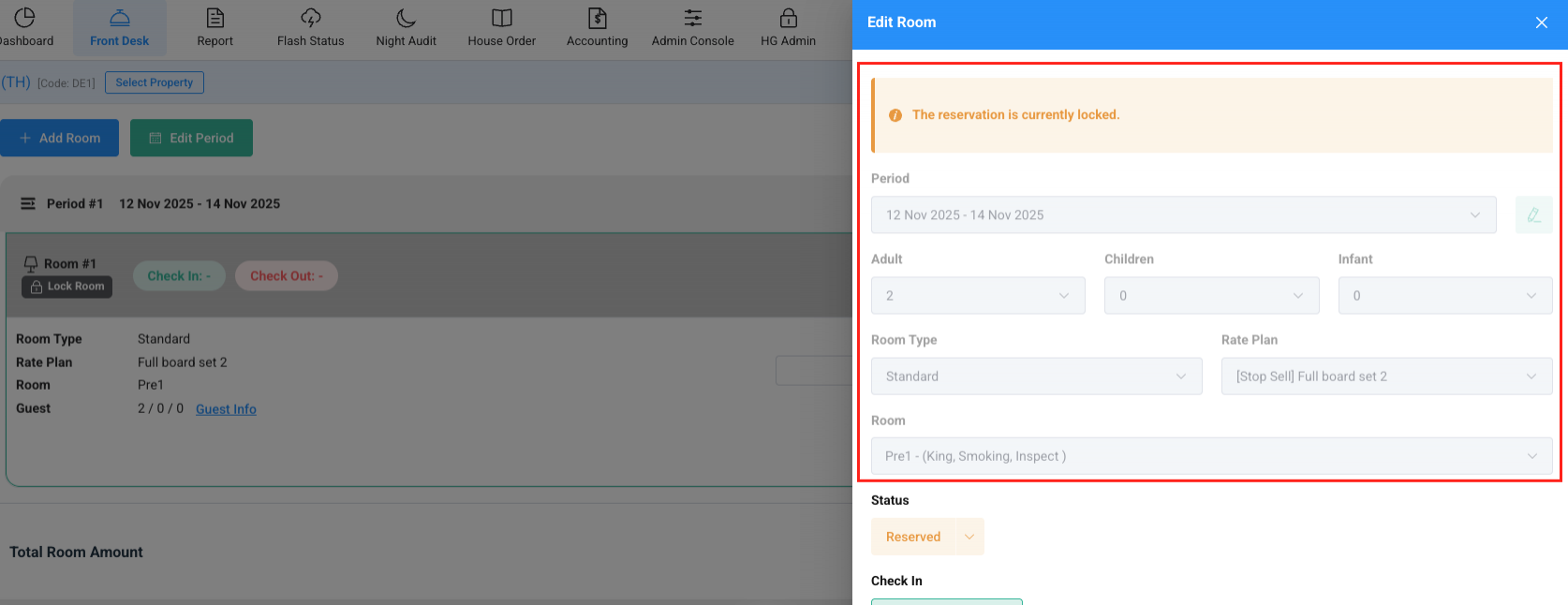
- A locked reservation cannot be edited for:
- Period
- Total Guests
- Room Type
- Rate Plan
- Room Number
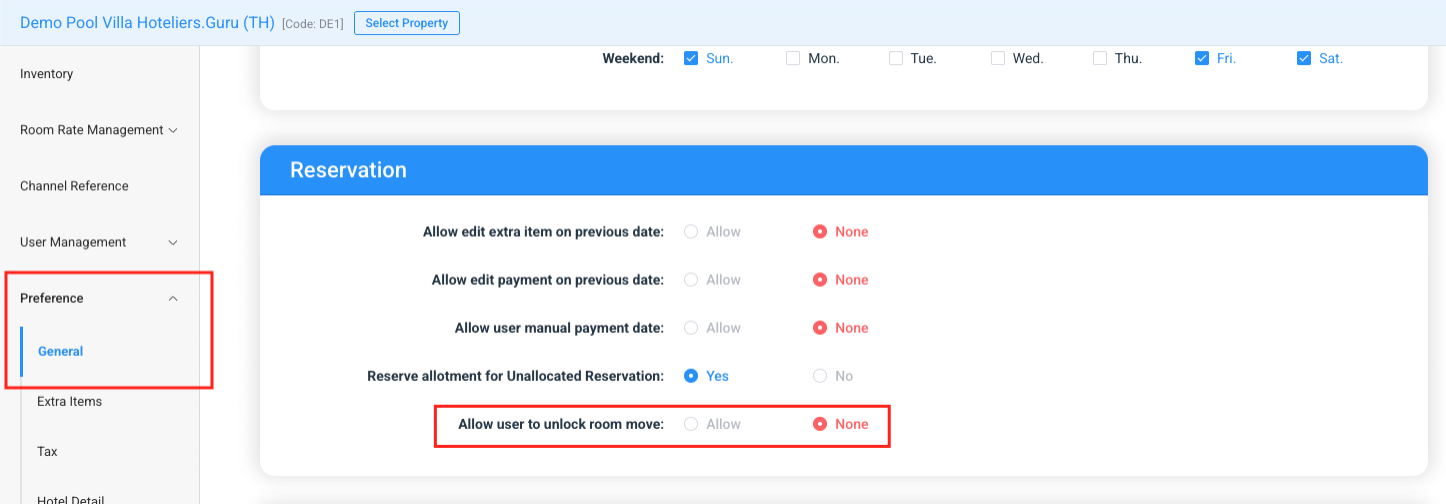
- By default, local users cannot unlock room moves. However, a Super Admin (who logs in with an email username) can configure the system to allow local users to unlock room moves.
How to manage Lock Room Move.
You can lock or unlock room moves from:
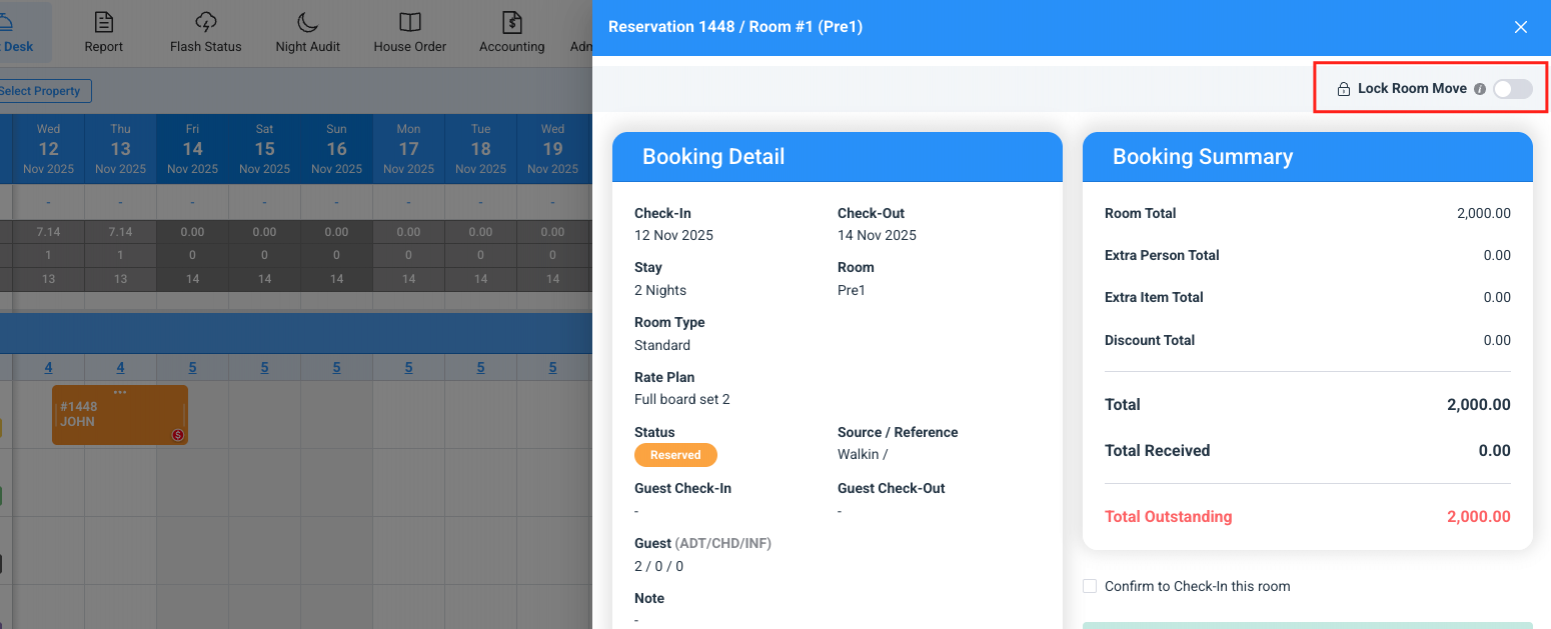
Calendar View
Users can lock/unlock room moves on the calendar view.
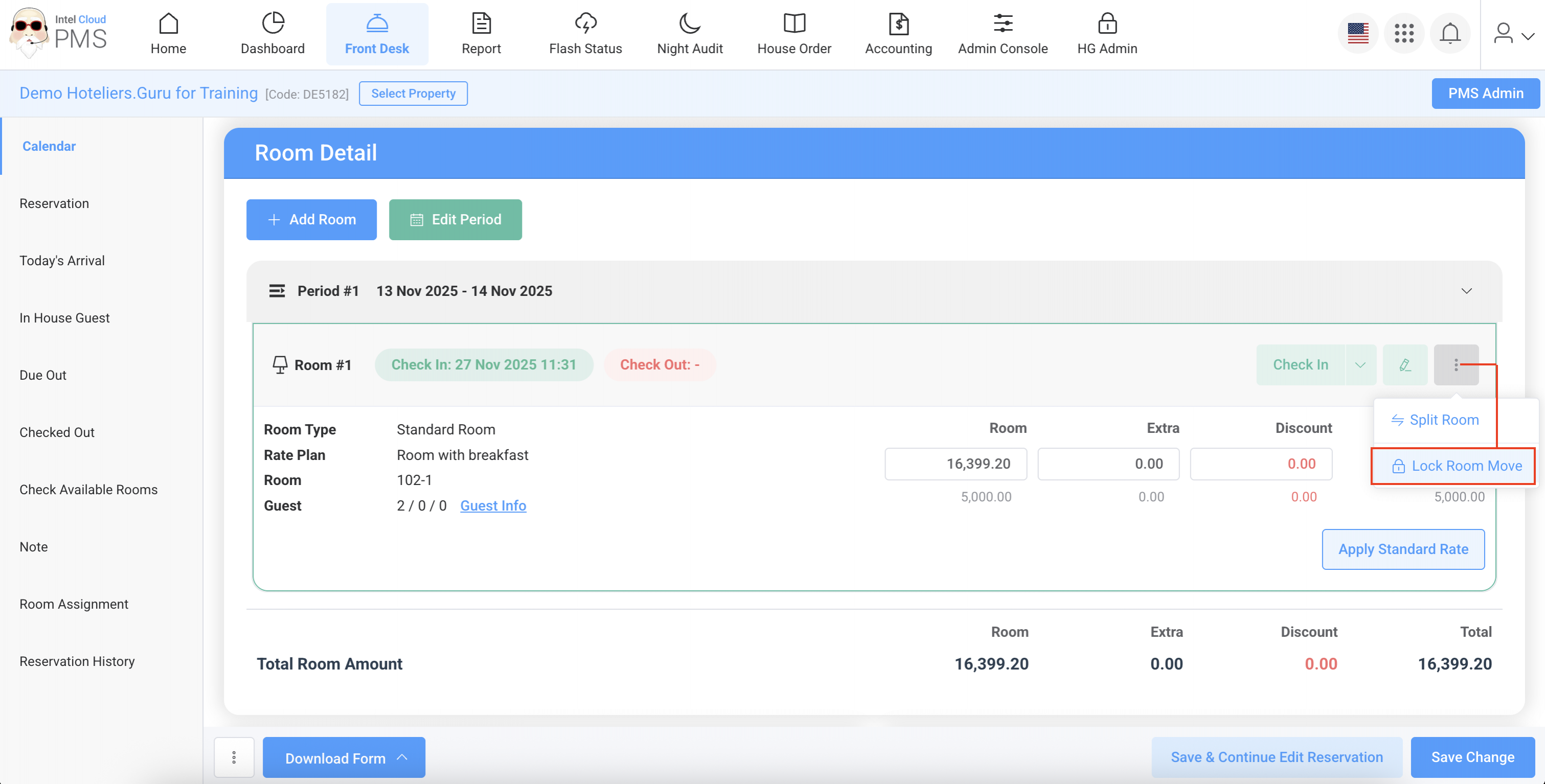
Reservation Page
Users can lock/unlock room moves on the reservation page.
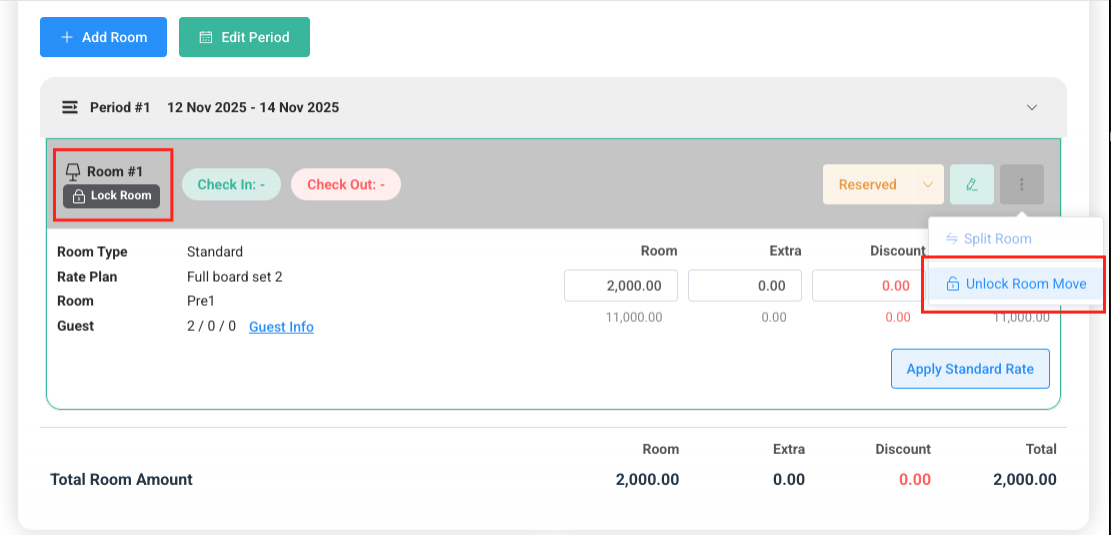
- The locked reservations will be displayed with a key icon on the calendar page.
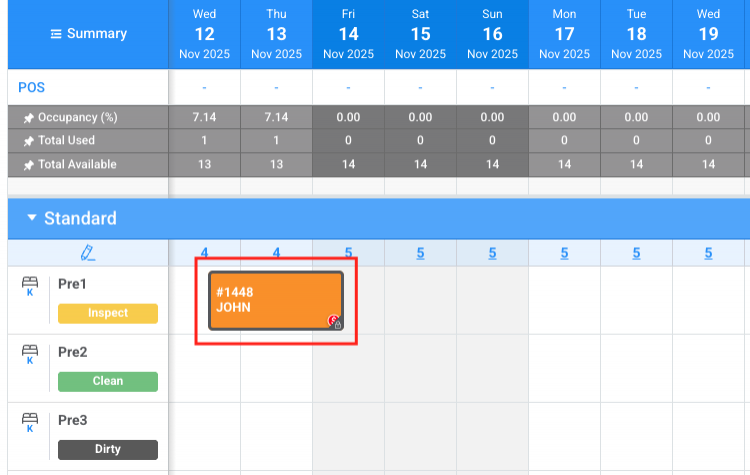
- The Locked reservations cannot be edited for the following fields: Period, Total Guests, Room Type, Rate Plan, and Room Number.
- Local users cannot unlock room moves by default, but a Super Admin (who logs in with an email username) can configure the settings to allow local users to unlock room moves.