
Accounting
This feature is used to configure Company Details (company name, address, and tax identification number of the registered business issuing tax invoices), Invoice/Receipt, and Proforma Invoice settings. It also allows users to generate Proforma Invoices.
Proforma Invoice
A Proforma Invoice is a preliminary billing document that displays the estimated charges for a reservation, such as room charges, product charges, or service fees, before the final invoice is issued. It also includes the payment terms and conditions, allowing customers to review the details in advance or adjust the expected charges before confirming payment.
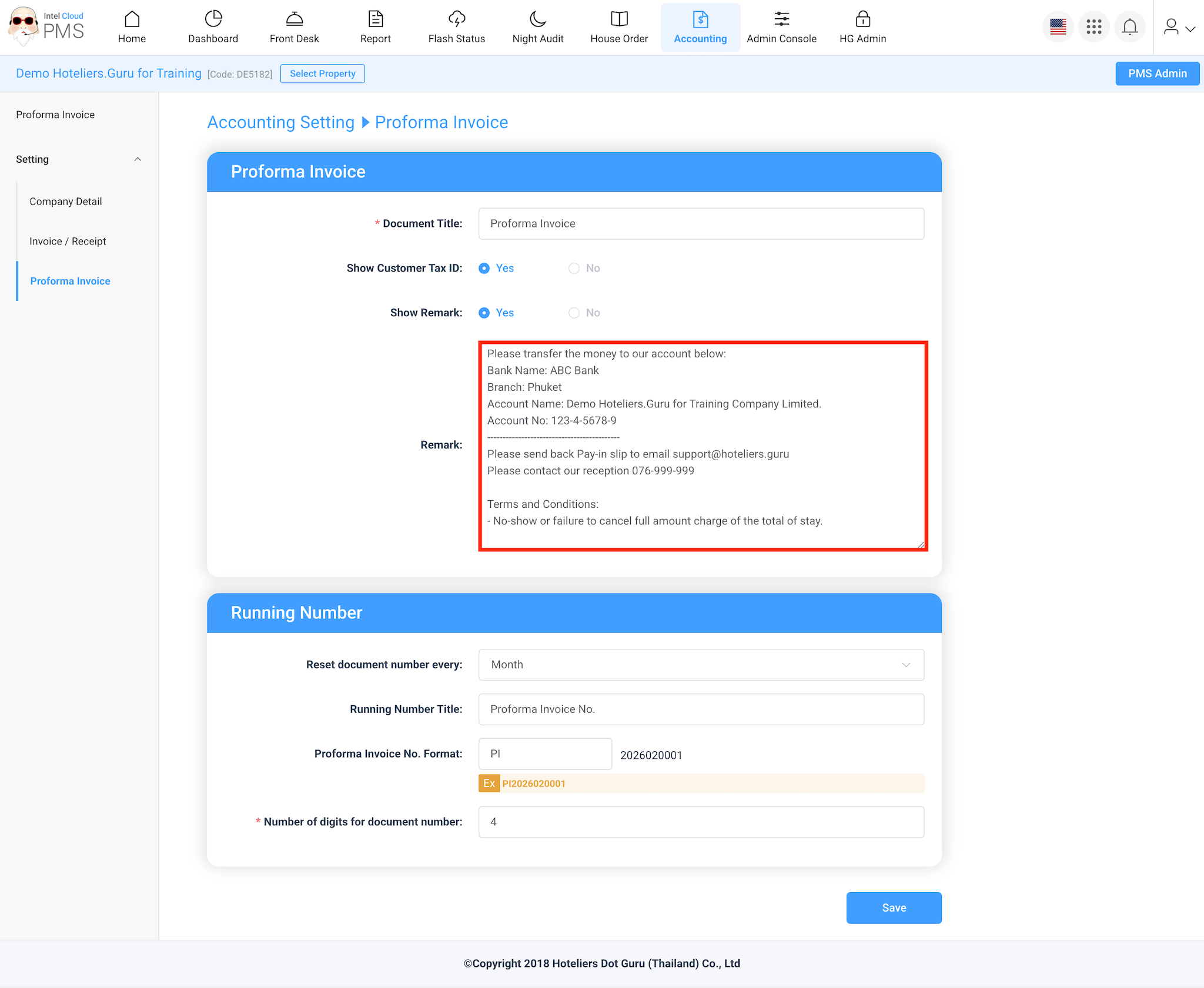
Proforma Invoice Setting
- Click Accounting
- Select Setting
- Click Proforma Invoice
- Under Remark, fill in the Bank Account Information and Terms & Conditions