
A Block Room is an unconfirmed booking used to temporarily reserve rooms in advance before the actual stay. Charges from a Block Room are not included in revenue calculations or reports.
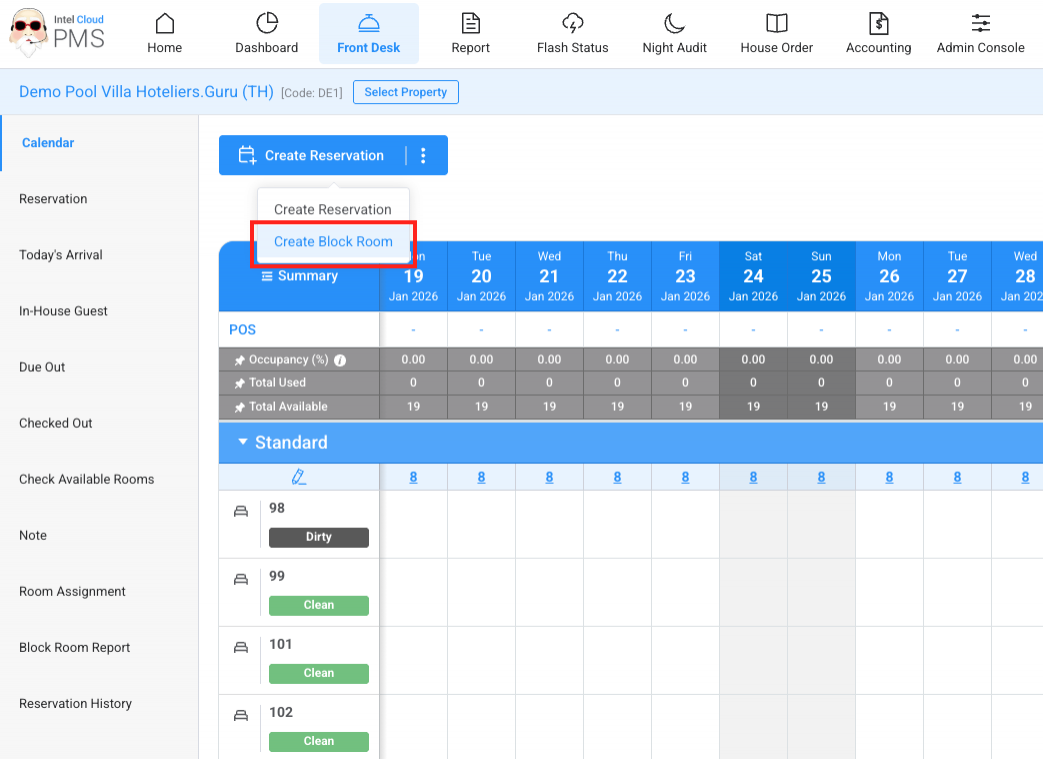
- Create a Block Room from the Calendar page by clicking the Create Block Room button.
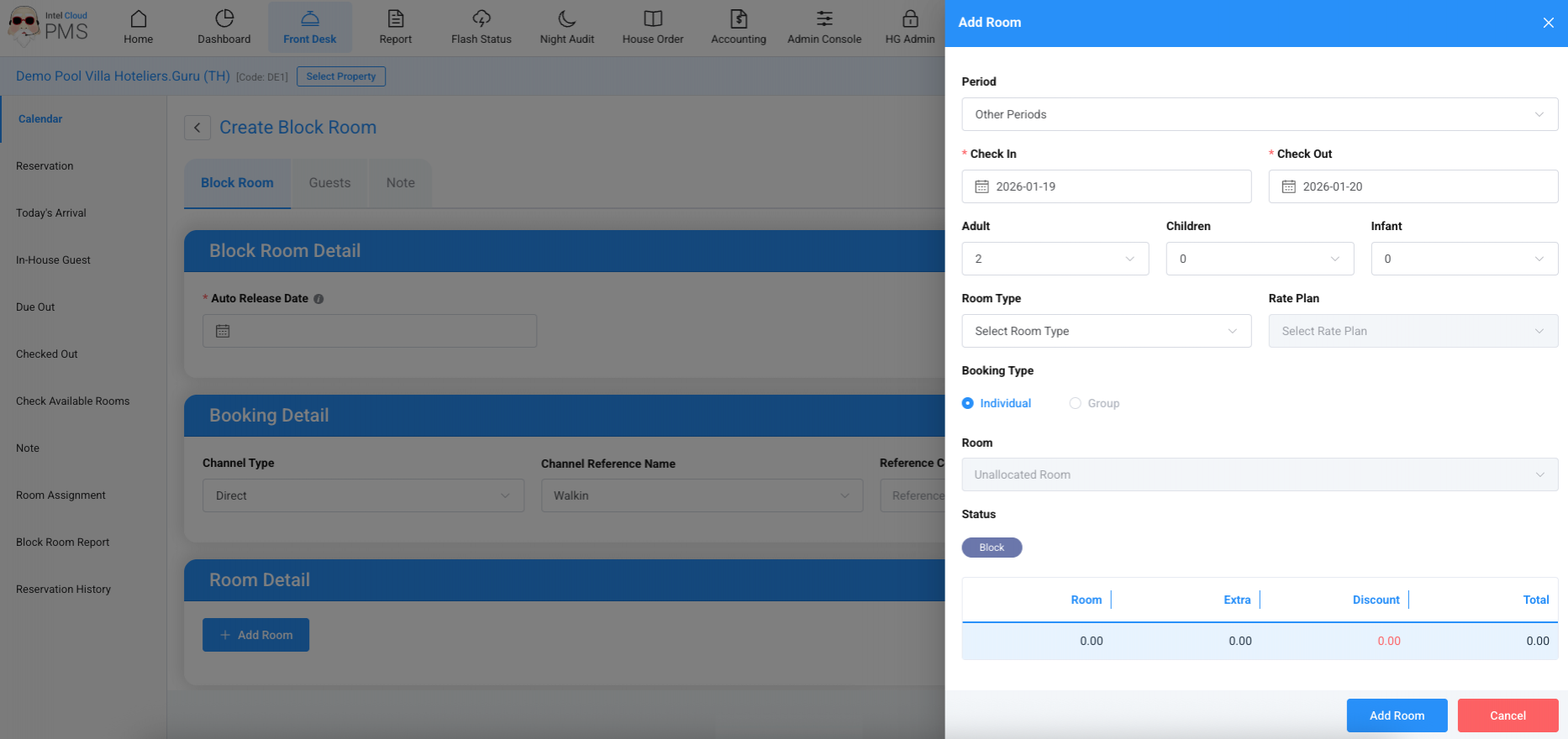
- After clicking the button, the system will redirect you to the Create Block Room page.
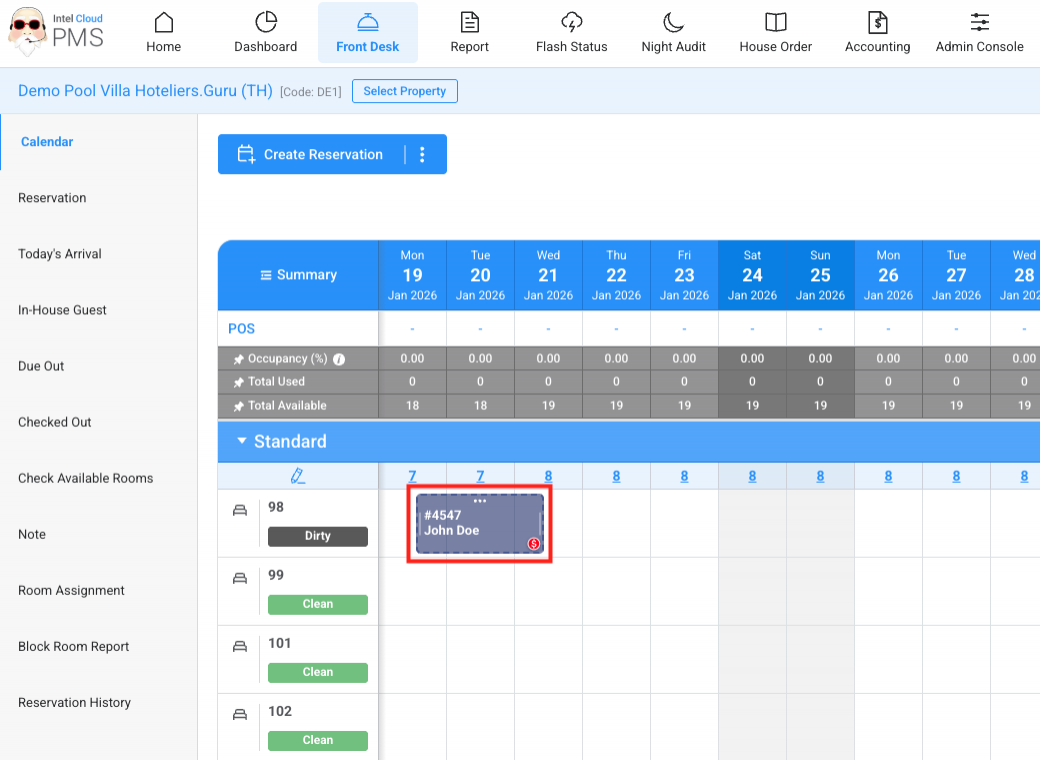
- Once created, the Block Room will be displayed on the Calendar.
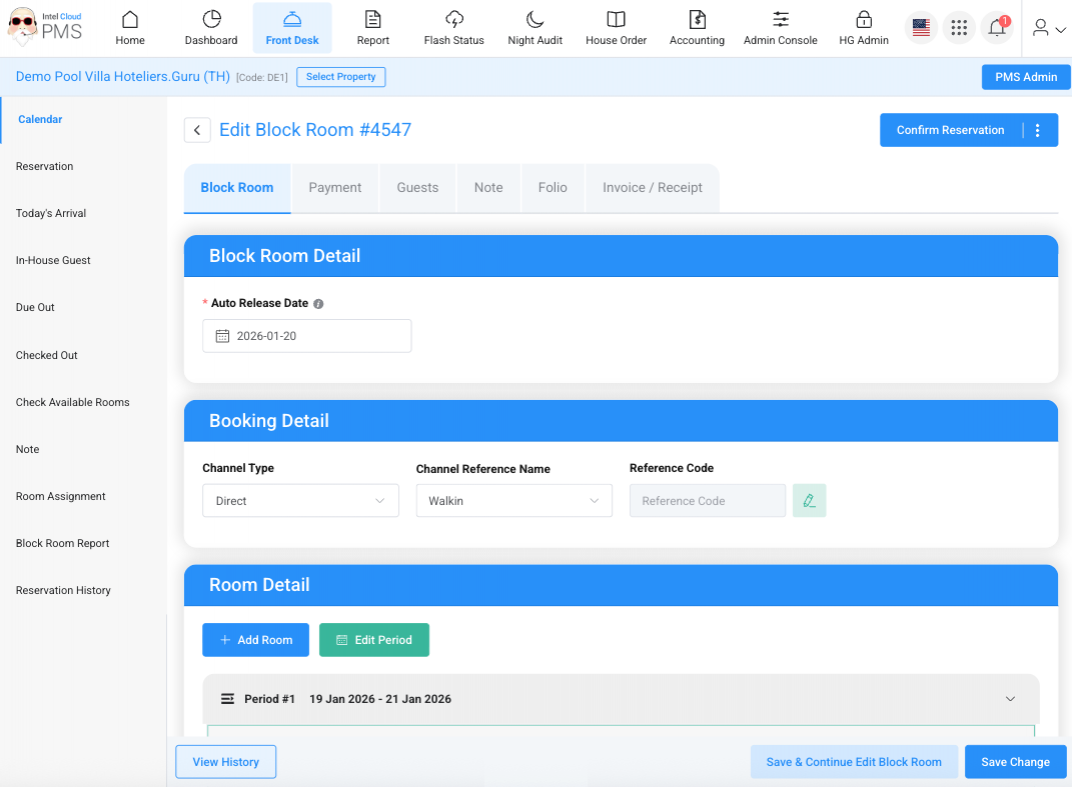
- Users can edit the Block Room details at any time.
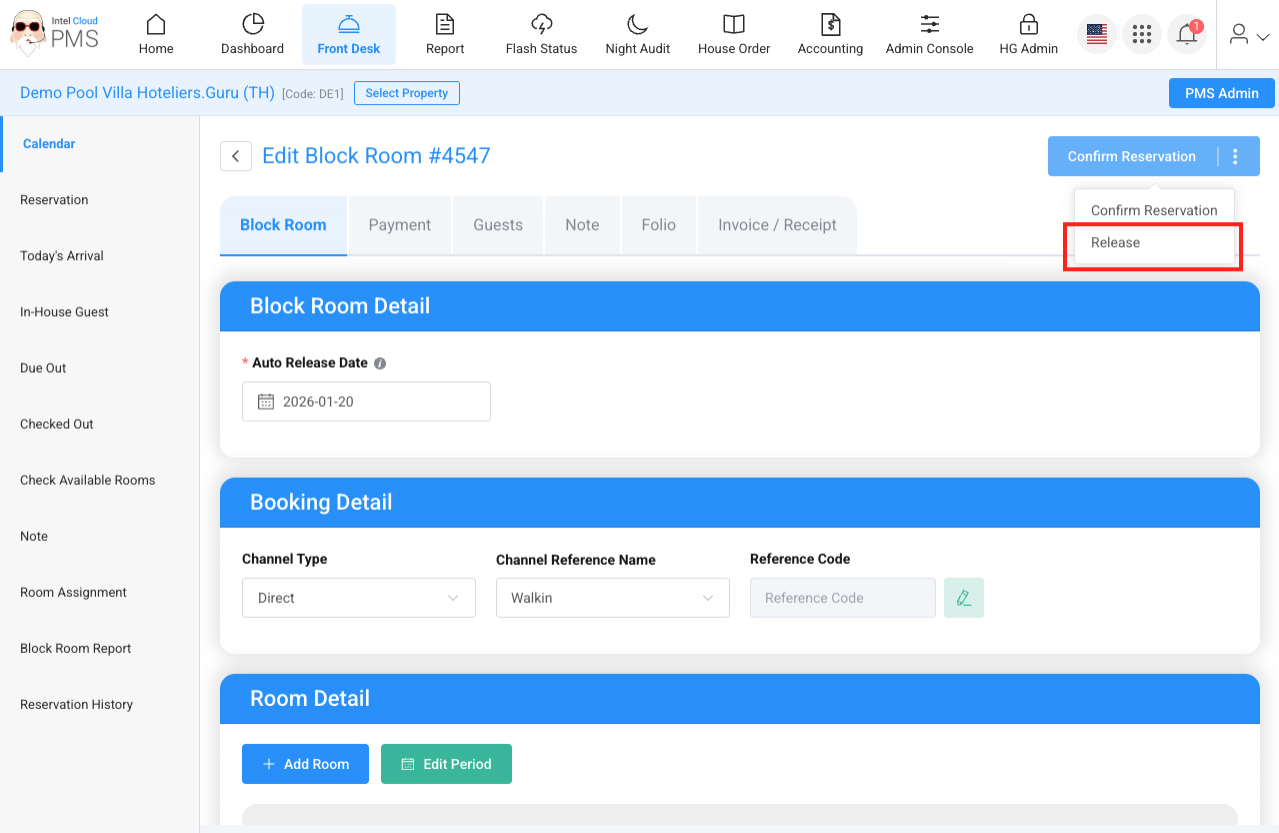
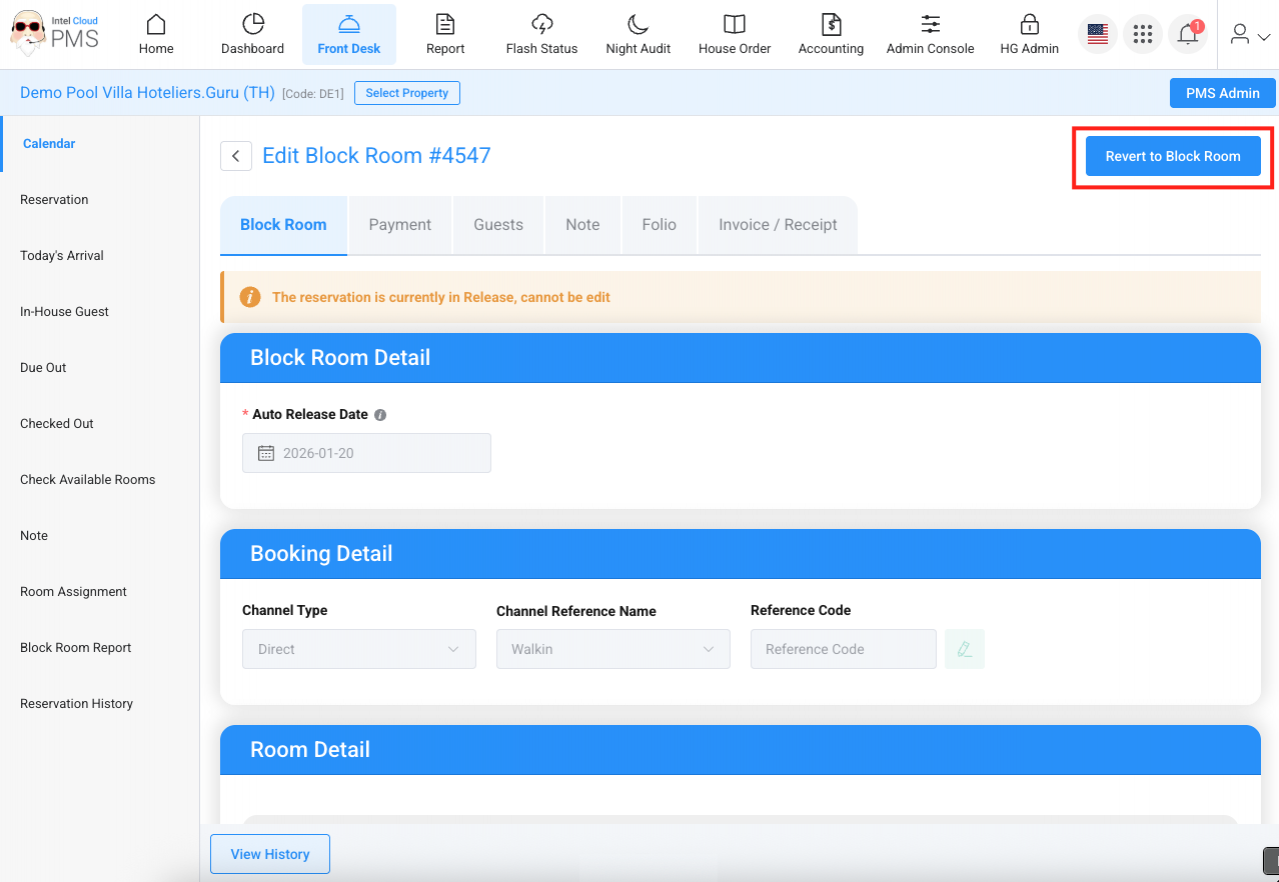
- A Block Room can be released manually, or it will be automatically released by the system on the Auto Release Date.
- A released Block Room can be changed back to a Block Room.
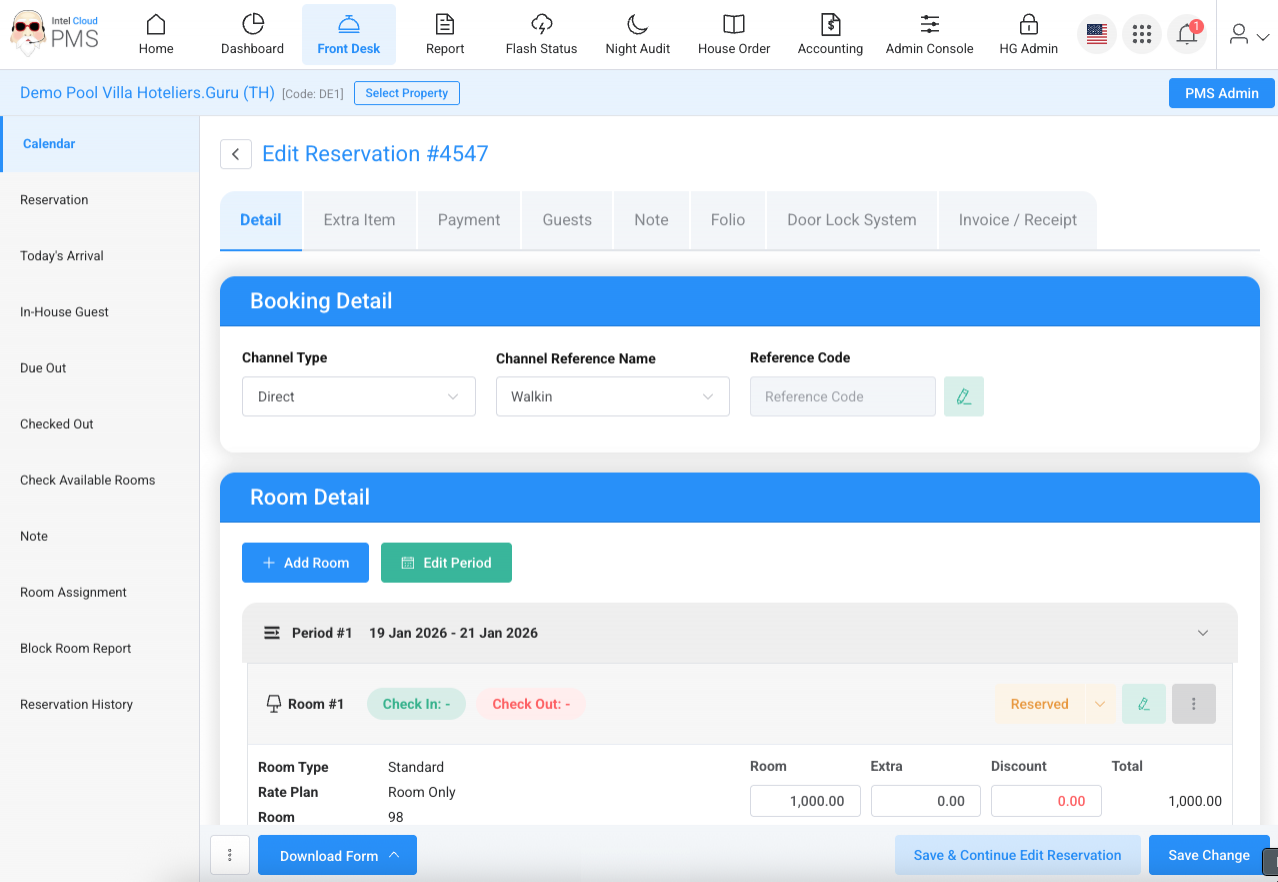
- A Block Room can also be converted into a Reservation. Once converted, it cannot be changed back to a Block Room.