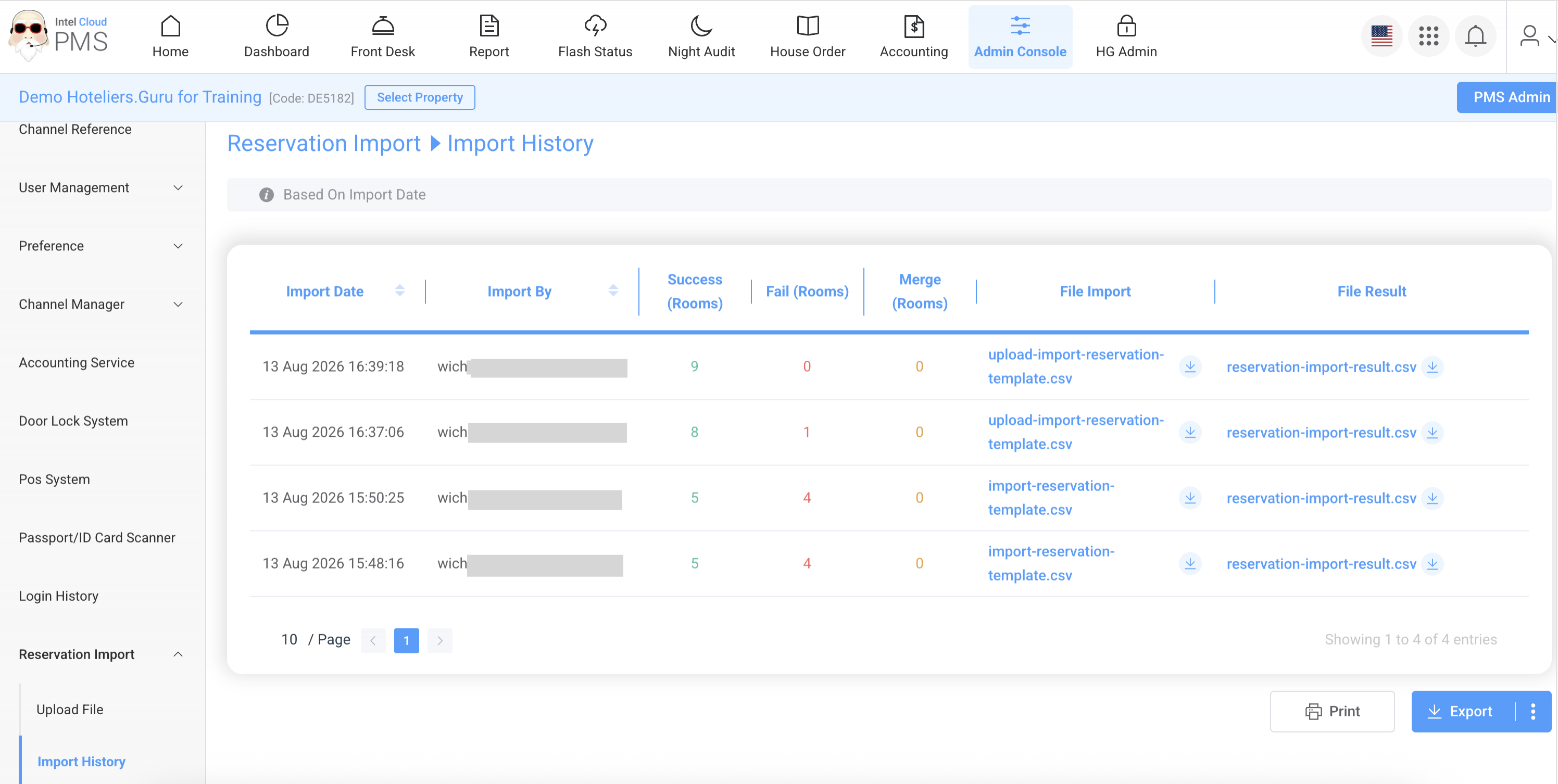

Reservation Import is a feature that allows hotels to import existing reservations from the hotel's previous system into the PMS before starting to use the Hoteliers.Guru system.
- Upload File: A menu used to import existing reservations from the hotel’s previous system into the PMS.
- Import History: A history log showing records of previously imported reservations, including the import status and details.
Upload File
Follow the steps below to import existing reservations from the hotel’s previous system into the PMS.
- Go to Admin Console.
- Select Reservation Import → Upload File.
- Under Download Template, click import-reservation-template.csv to download the template.
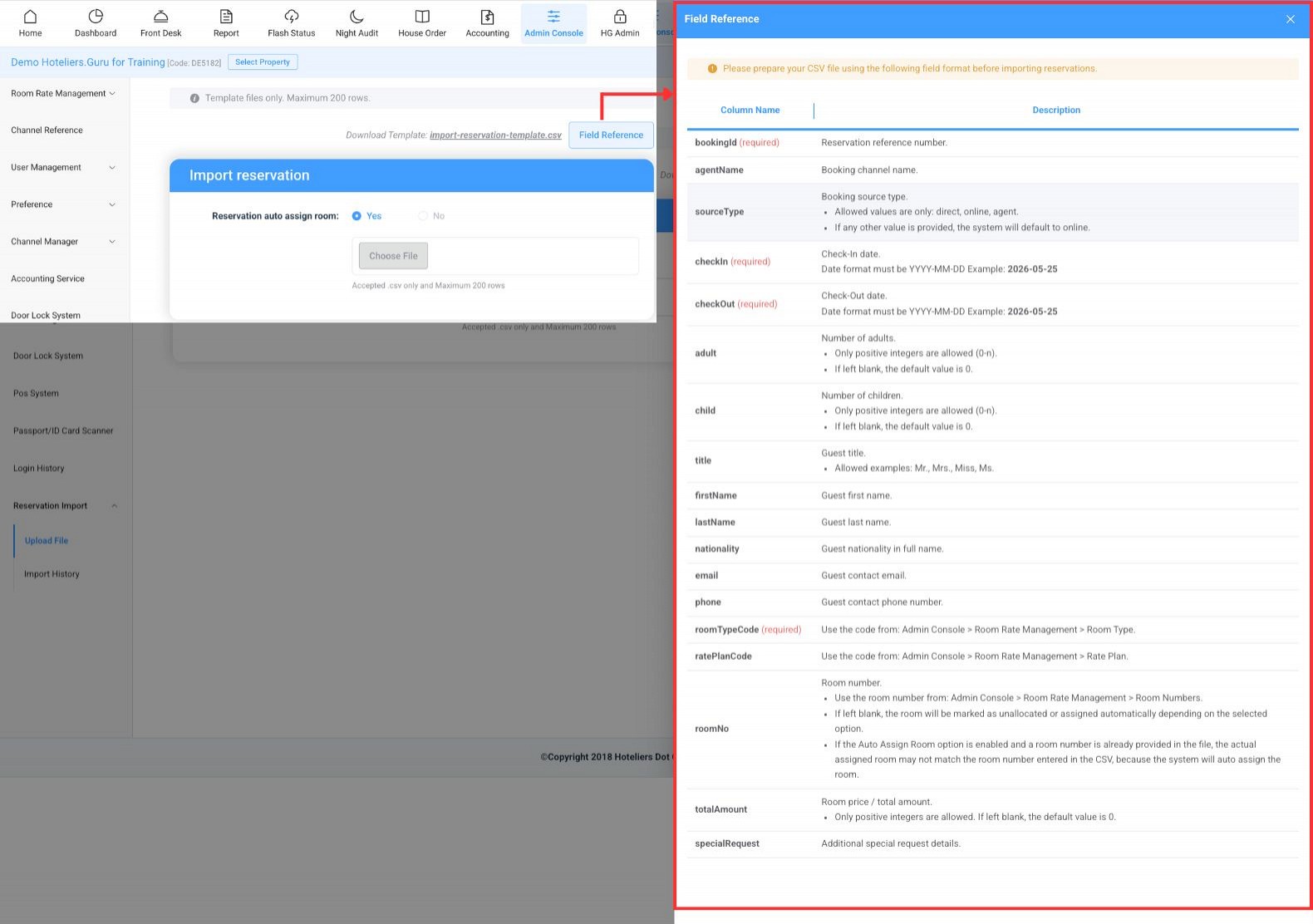
- Prepare your CSV file according to the format specified in the Field Reference before importing the reservations.
- Field Reference is a guide explaining the required information and format for each field in the Reservation Import Template.
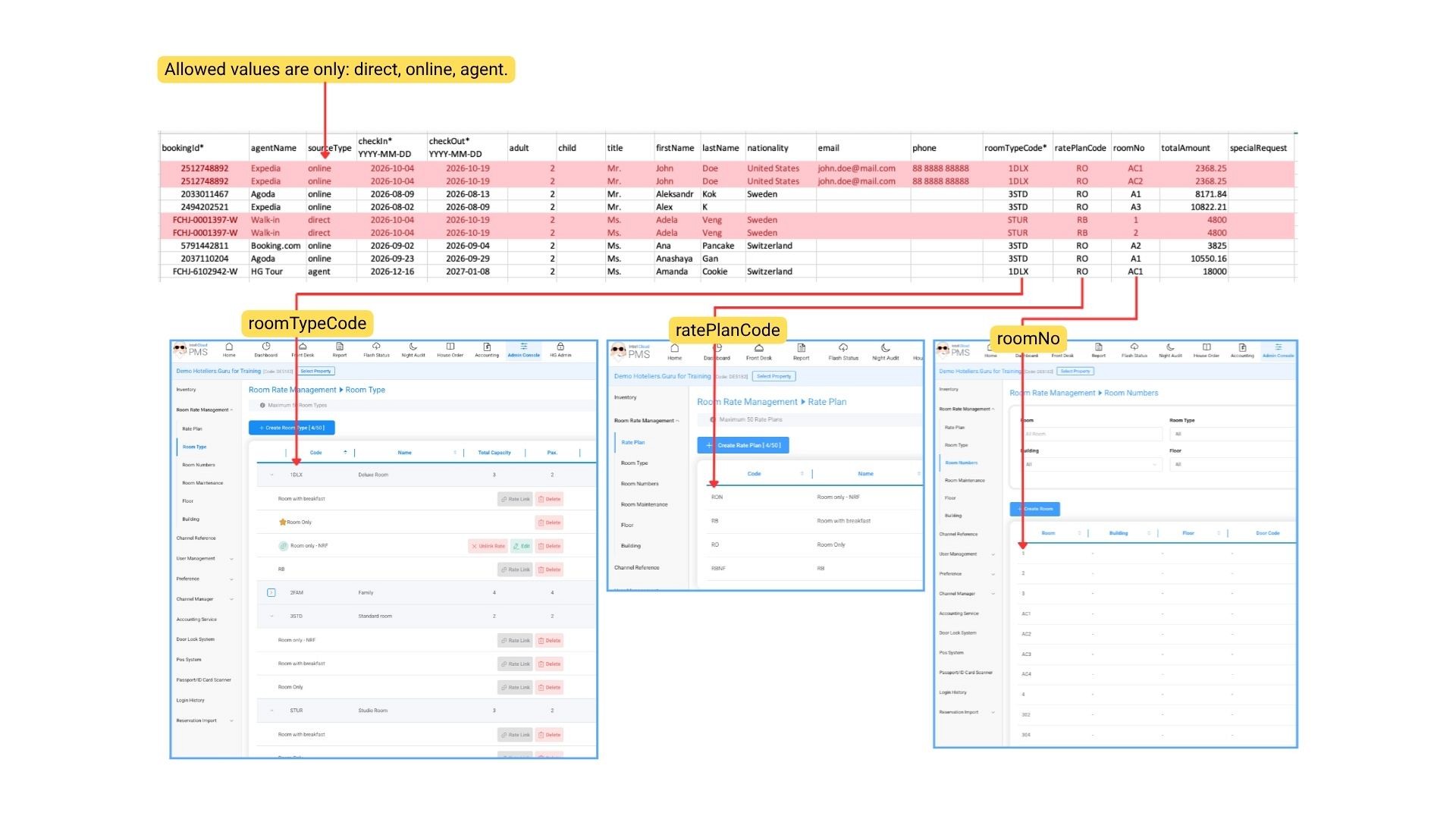
Note:- If a reservation includes multiple rooms, enter the details for each room, including the room number and price per room, on a separate row.
- Only .csv files are accepted.
- The maximum number of rows is 200.
Example:
- Field Reference is a guide explaining the required information and format for each field in the Reservation Import Template.
- Once you have completed the reservation details, save the file in .csv format.
- Under Reservation Auto Assign Room, select one of the following options:
- Yes: Select this option if you do not enter a room number in the file and want the system to automatically assign a room.
- No: Select this option if you have entered the room number in the file and want the system to assign the specified room.
- Click Choose File to upload the CSV file.
- Click Preview Data to review the reservation details before importing.
- Click Start Import to import the reservations into the PMS.
- Once the import is complete, the system will display the Import Result, including the import status and details.
Import History
A history log showing records of previously imported reservations, including the import status and details.