
Split Room
Split Room is a feature that allows a reservation to be split into another room number while keeping the same room type.
How to Split Room.
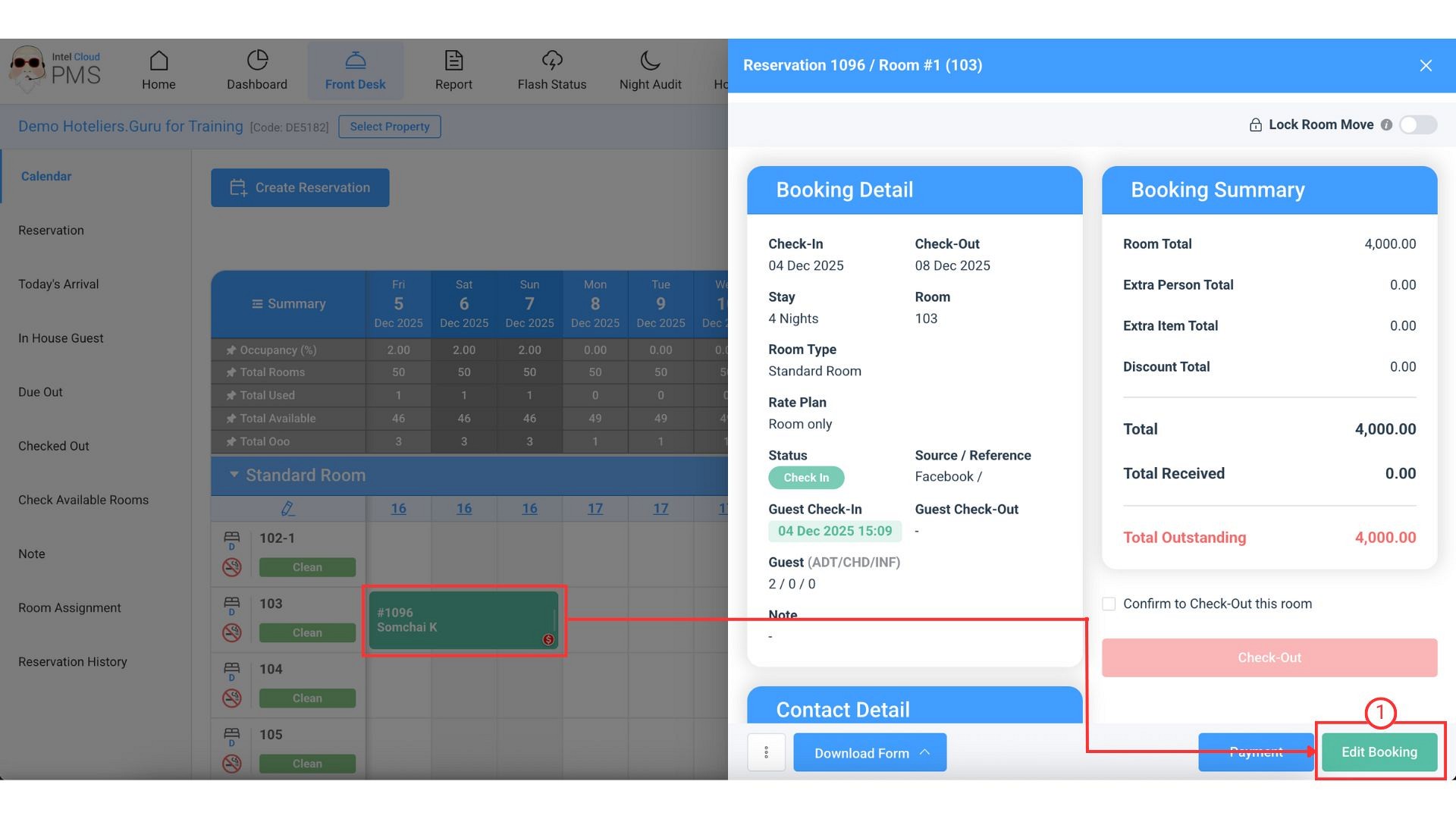
- On the reservatin click Edit Booking button.
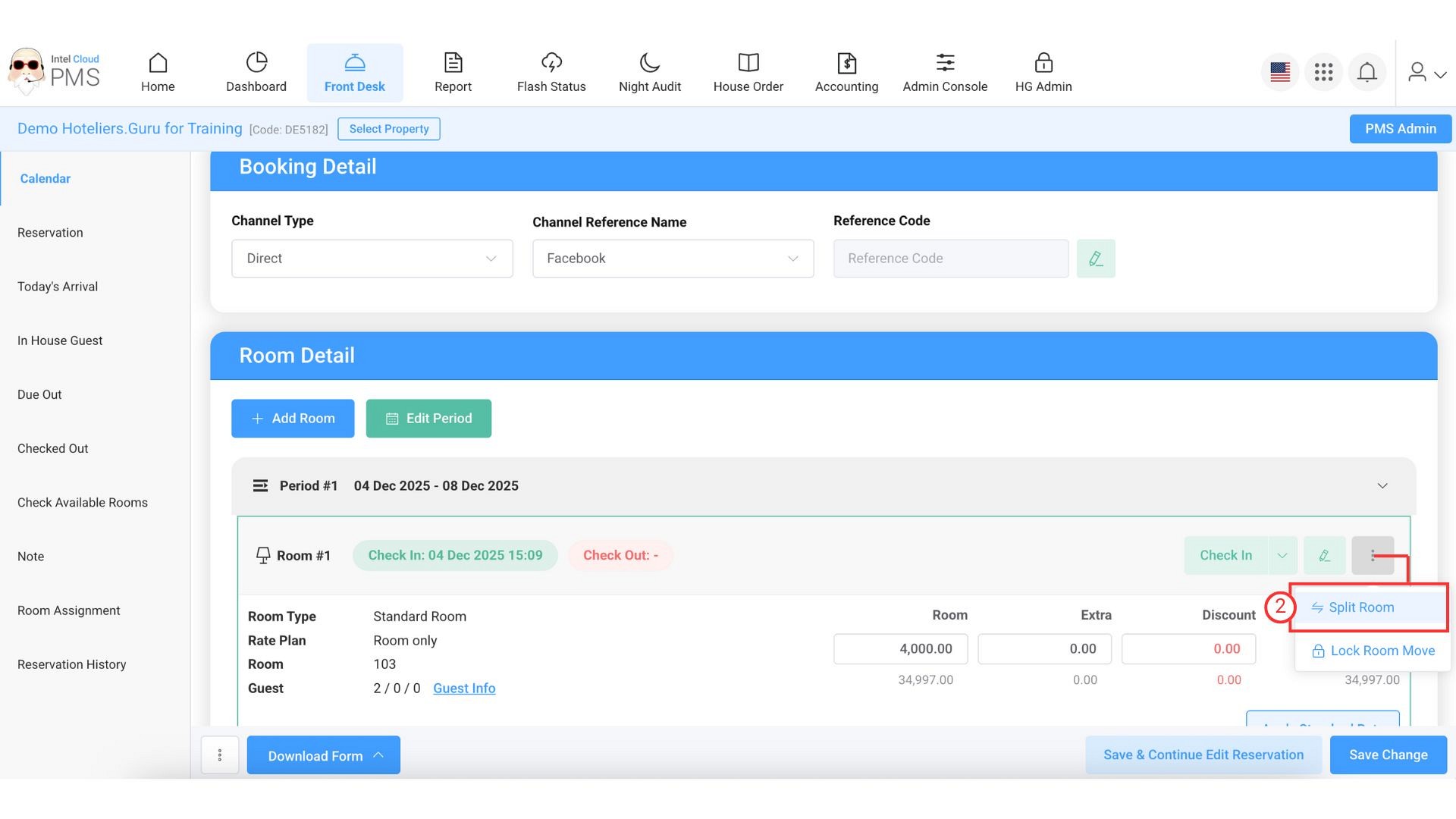
- In the reservation details, click the three-dots icon and select Split Room.
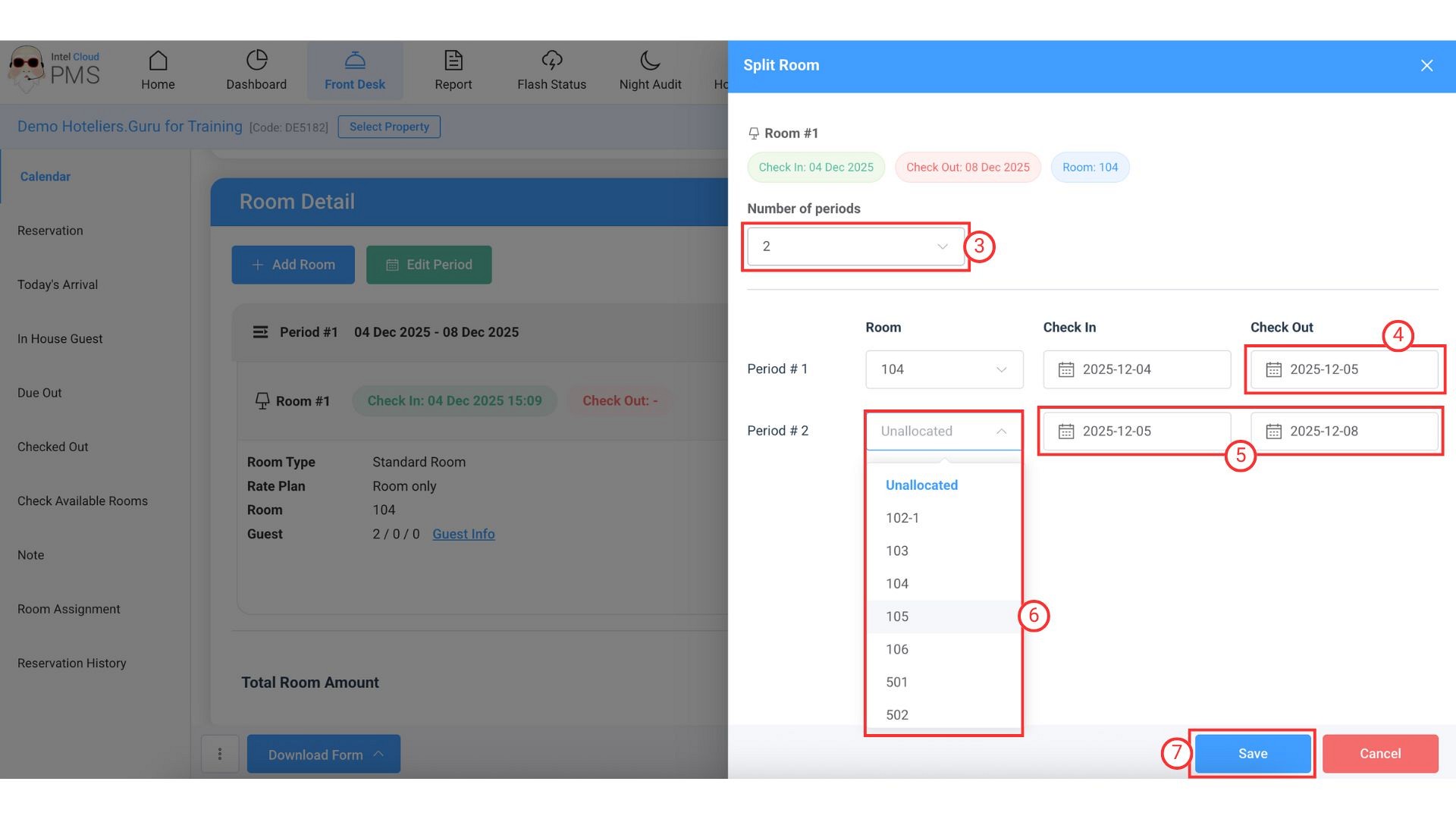
- Number of periods: Select the number of periods you would like to split (e.g., Number of periods: 2).
- Period #1: Select the check-out date for the first period.
- Period #2: Select the check-in and check-out dates for the second period you would like to assign for the split room.
- Room: Select the room number you would like to assign for the split room.
- Click Save button.
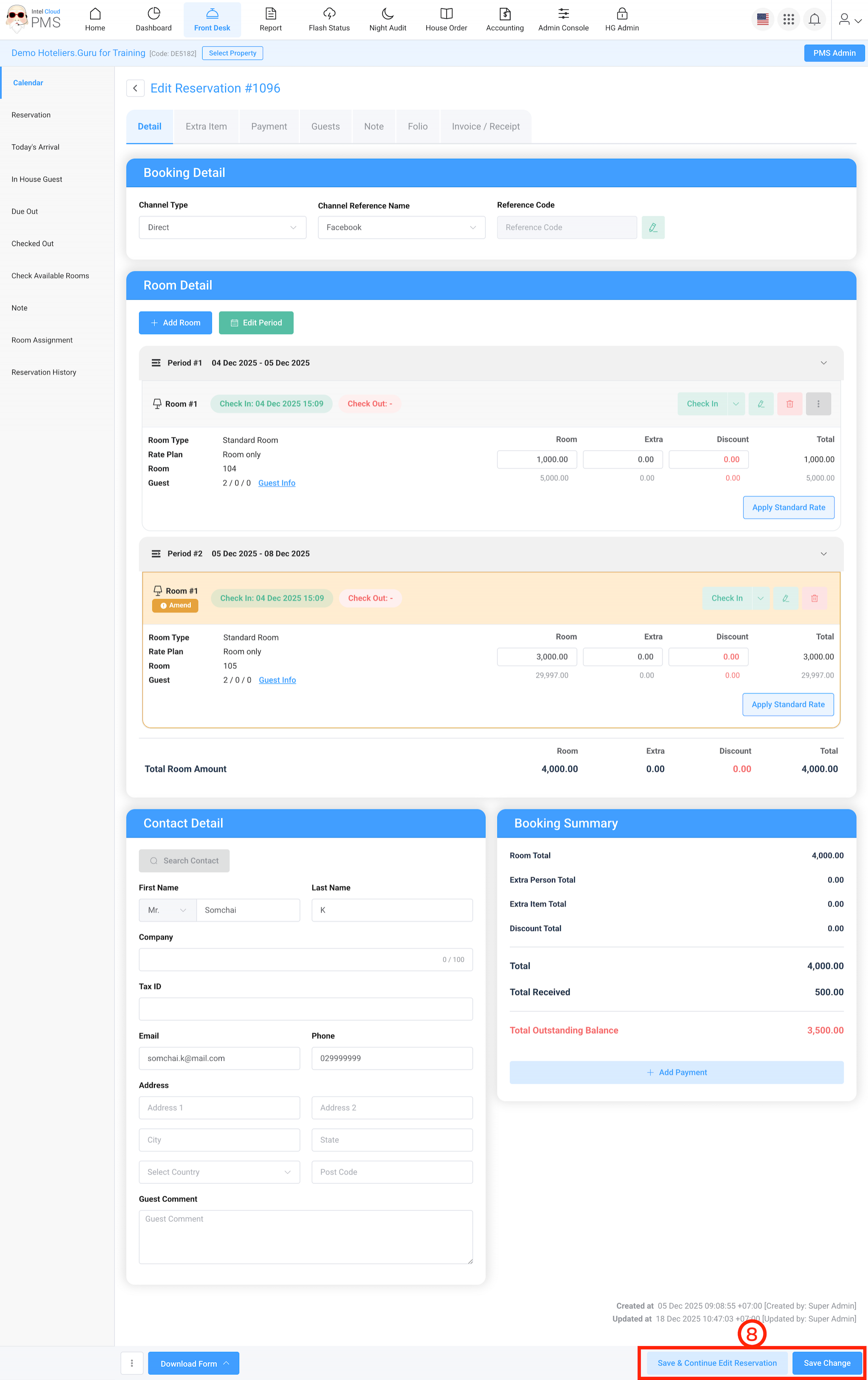
- Click Save & Continue Edit Reservation or Save Change button.